

Lifepath is a secure mobile healthcare application that connects patients and physicians through an integrated care platform. The app enables patients to record health measurements manually or via Bluetooth-enabled medical devices, track medications and daily treatment activities, receive prescriptions, and stay engaged through reminders configured by healthcare providers.
Designed to support continuous remote care, the application also includes offline functionality, allowing patients to access health records, confirm tasks, and securely store new data without internet access. Once connectivity is restored, all information is automatically synchronized, ensuring uninterrupted treatment monitoring and improved adherence to care plans.
At first, we developed the app that provided a day-to-day care & recovery plan for users that allowed clinicians & patients to stay in sync without the constant need for communication, with a complex system of live updates implemented via Push Notifications.
The first challenge arose during field trials. The app had a simplified architecture and functionality, relying on the backend to do most of the heavy lifting, but it was discovered that in many cases, the app was required to operate under low-internet/offline conditions. So we pivoted to an offline-first architecture that allowed the app to operate smoothly and sync up with the server when needed/available.
The second challenge appeared when the client requested whether we could build a new app that would be used for patient management in a medical facility. We modularized the initial app project to allow logic, data, navigation, UI, and even complete feature reuse across two projects.
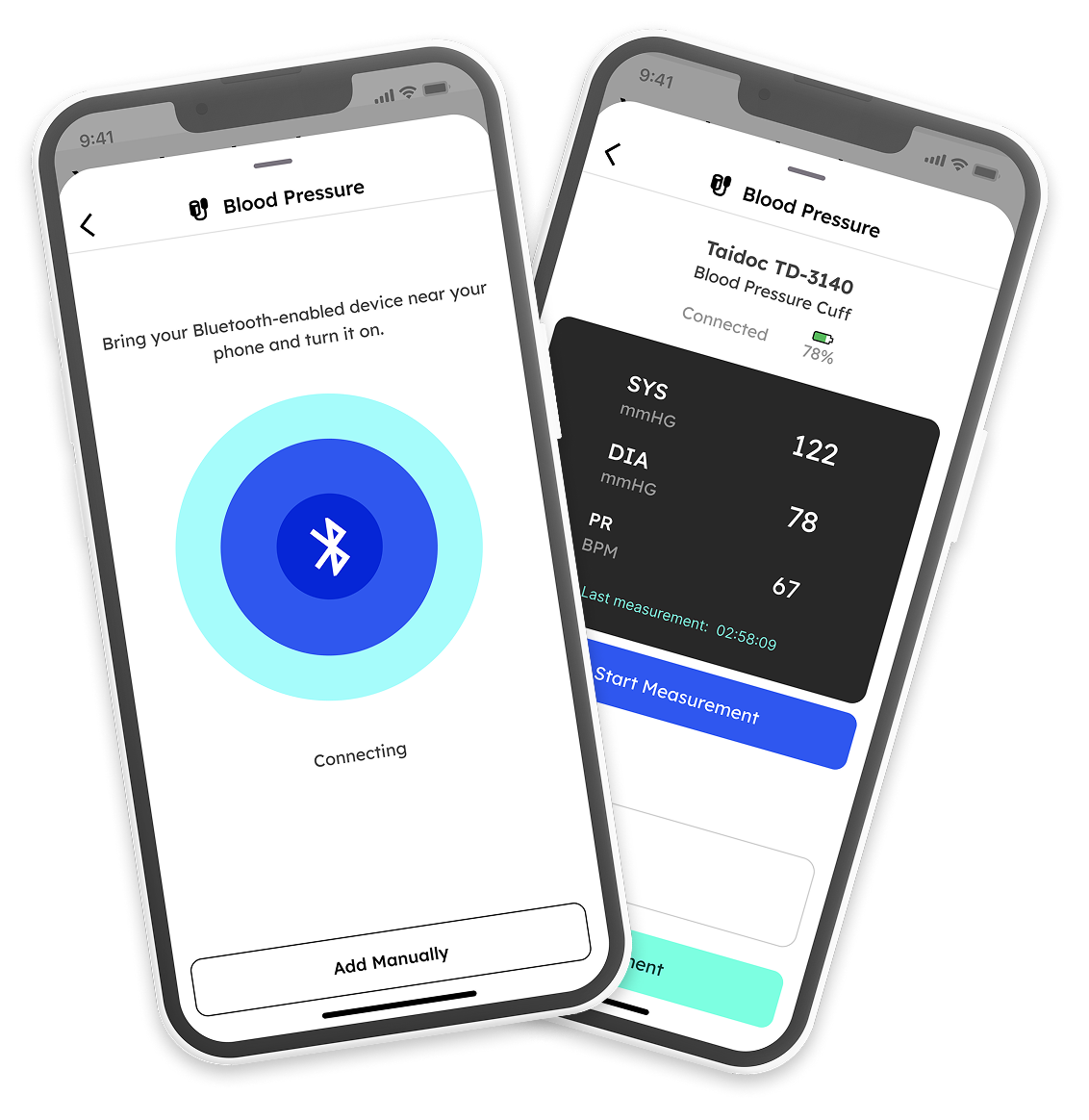
The Add Measurement feature enables patients to record vital health data either manually or through Bluetooth-enabled medical devices, supporting continuous health monitoring and treatment adherence. Patients can add measurements such as blood pressure, blood glucose, heart rate, blood oxygen, and temperature directly from the Daily Tasks section.
The feature includes intelligent validation to ensure accuracy of entered health data, contextual inputs for specific measurements, and support for offline usage with automatic synchronization once connectivity is restored. For compatible Bluetooth devices, the app provides a guided measurement flow, including device discovery, connection, measurement collection, and secure submission to the healthcare platform.
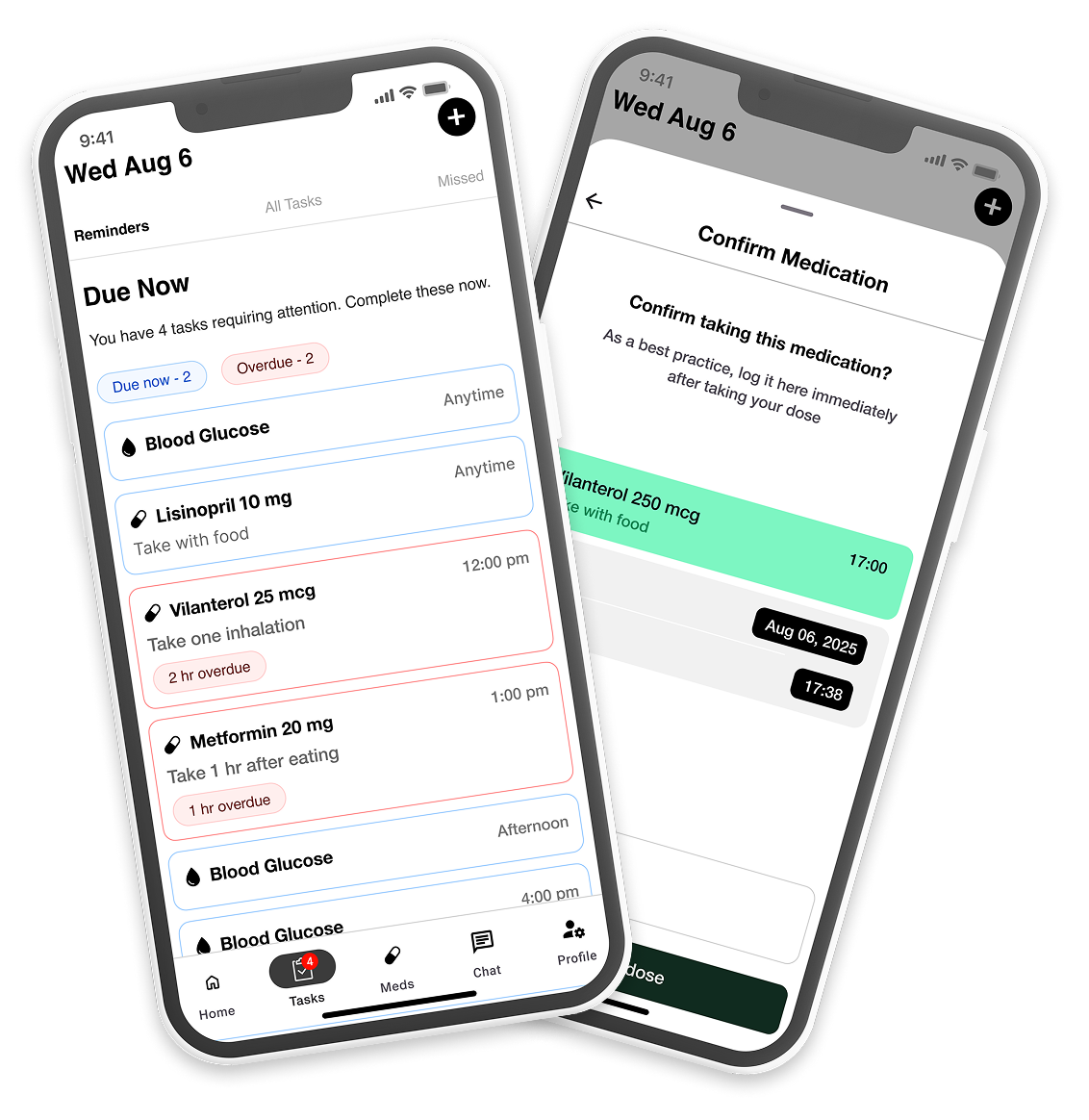
The Daily Tasks feature helps patients stay consistent with their treatment plans by organizing assigned healthcare activities into a clear daily schedule. Patients can view and confirm medications, prescriptions, vital measurements, and lifestyle activities, all grouped by time of day to simplify routine management and improve adherence.
To support timely engagement, the module provides intelligent task prioritization through due states such as Due Soon, Due Now, and Overdue, helping patients easily identify what requires attention. Integrated with health measurements, the feature ensures that scheduled vital checks are completed through manual or Bluetooth-based readings, creating a seamless connection between care plans and patient activity tracking.
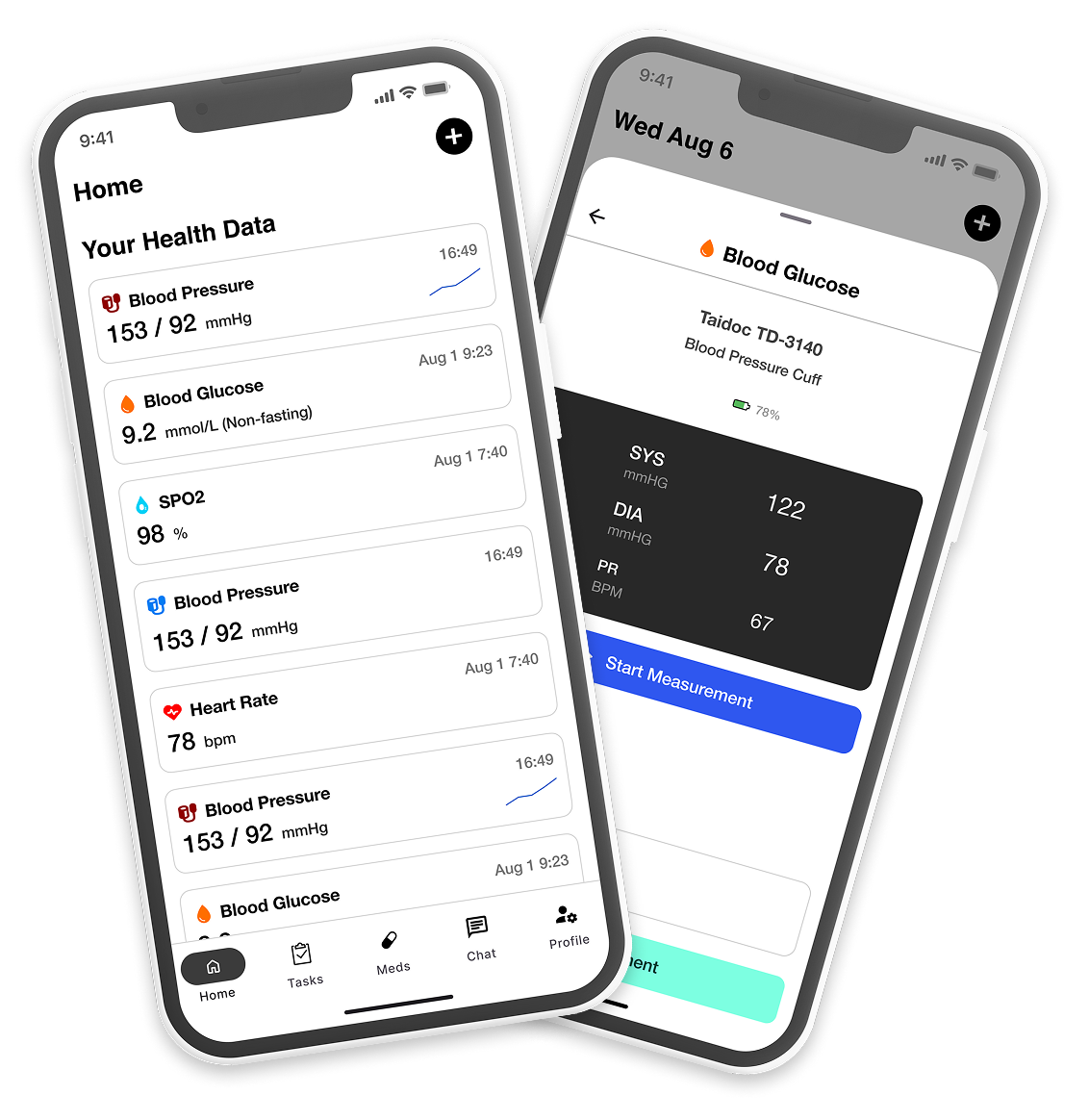
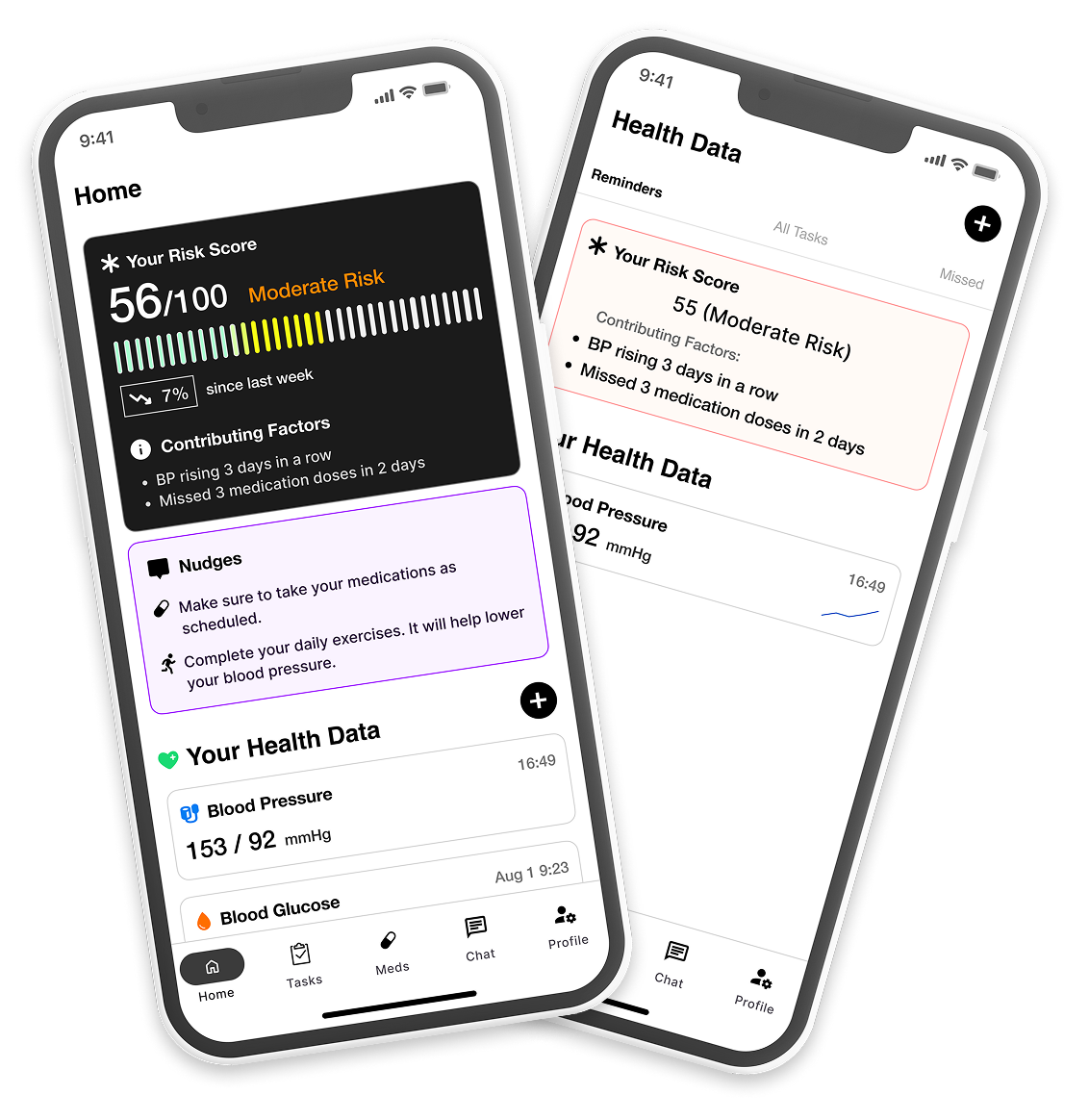
The Home Screen acts as a personalized health dashboard, giving patients a clear overview of their latest health measurements in one place. Key vitals such as blood pressure, blood glucose, heart rate, blood oxygen, temperature, and weight are displayed through easy-to-read metric cards, helping users quickly monitor their health status and recent activity. By combining measurement summaries, the Home Screen simplifies daily monitoring and supports continuous patient engagement.
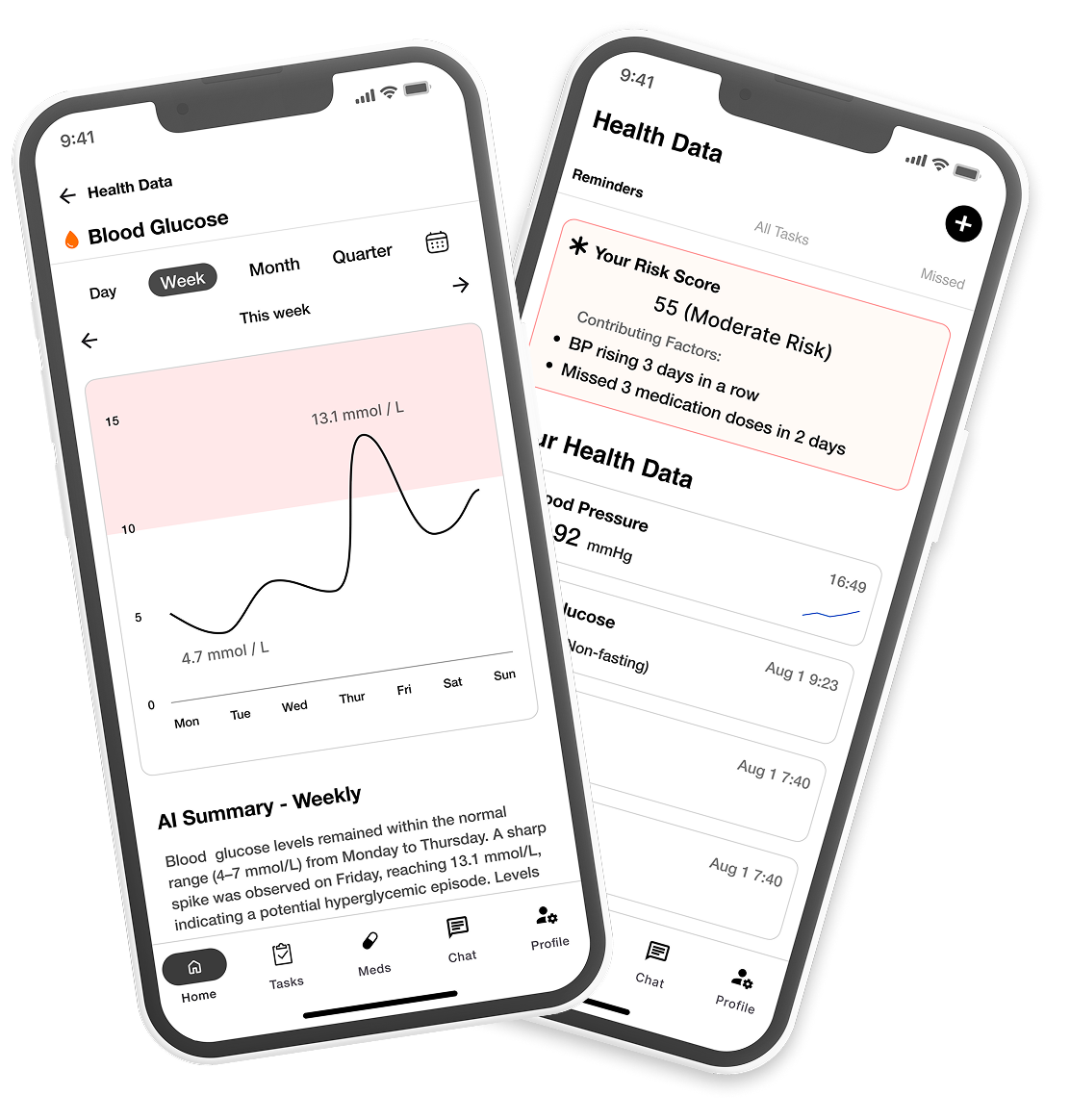
The Health Metrics Details screen gives patients a comprehensive view of their health trends through interactive charts and historical measurement tracking. By selecting a health metric from the Home Screen, patients can explore data across multiple time ranges, including daily, weekly, monthly, and quarterly views, helping them better understand changes in their health over time.
To make complex health information easier to interpret, the screen combines visual trend analysis with AI-generated summaries that highlight measurement patterns and notable changes in a clear, patient-friendly format. Together with customizable date filtering and detailed metric visualization, the feature empowers patients to stay informed and actively engaged in their health journey.
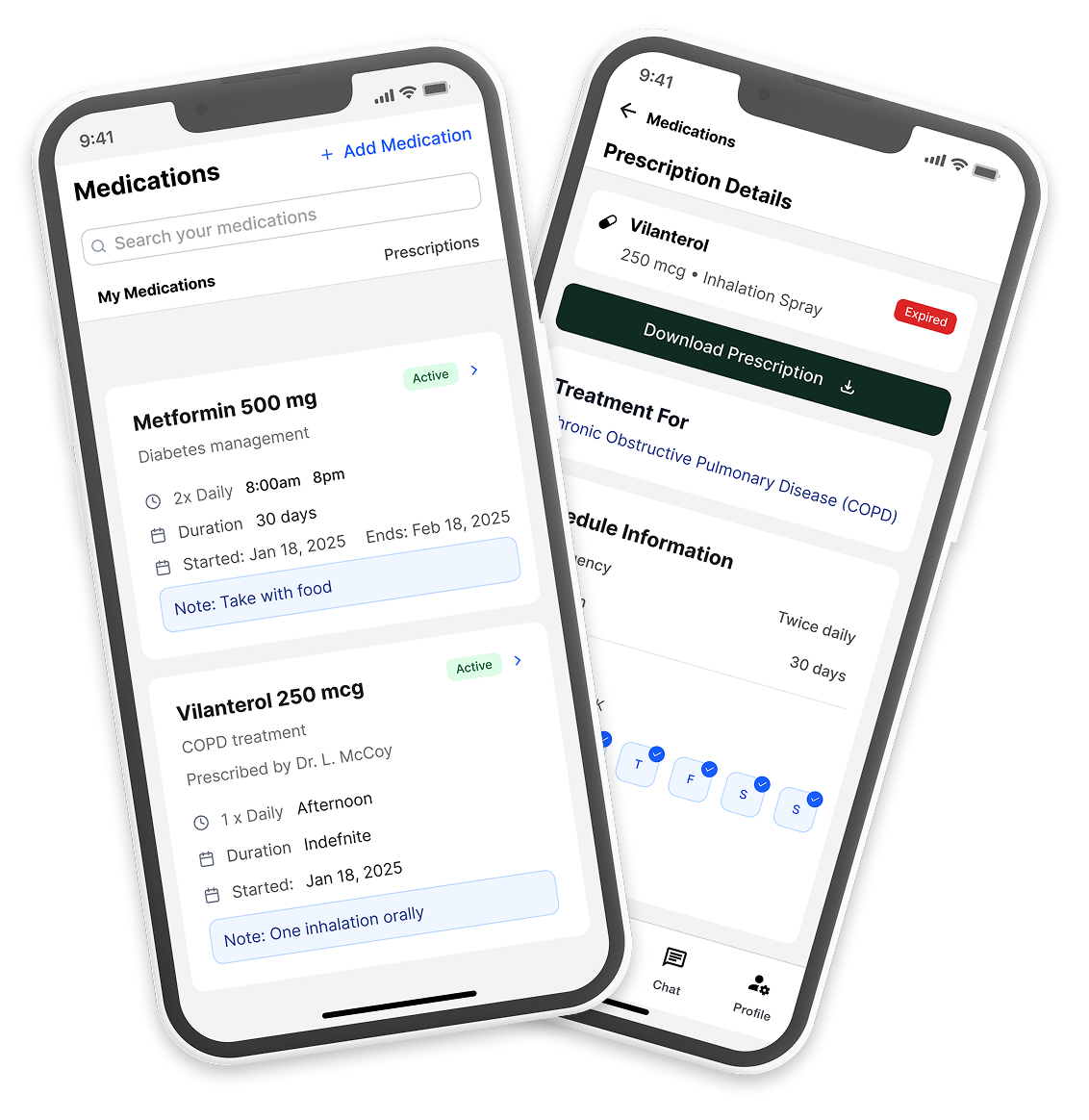
The Medication Management feature helps patients organize, track, and manage both self-added medications and physician-issued prescriptions in one centralized experience. Through an intuitive medication dashboard, patients can quickly access active treatments, search medications, review schedules, and stay informed about dosage instructions, duration, and treatment details.
Detailed medication and prescription views provide patients with structured information, including intake schedules, reminder timing, special instructions, important warnings, and related treatment details. By combining medication tracking with prescription visibility, the feature supports better treatment adherence and gives patients a clearer understanding of their ongoing care plan.
The mobile application was developed with Flutter and Dart, using Firebase Cloud Messaging, FL Chart, Drift, and Workmanager for notifications, data visualization, offline support, and background processing.
In 9 months, TBR Group delivered two mobile applications for iOS and Android – a Nurse App and a Patient App – enabling the client to launch a pilot program at the Indian hospital. The solution replaced the standard paper-based approach to patient vital monitoring with a fully digital workflow, giving clinical staff a structured, real-time tool for capturing and tracking patient data directly from their mobile devices.