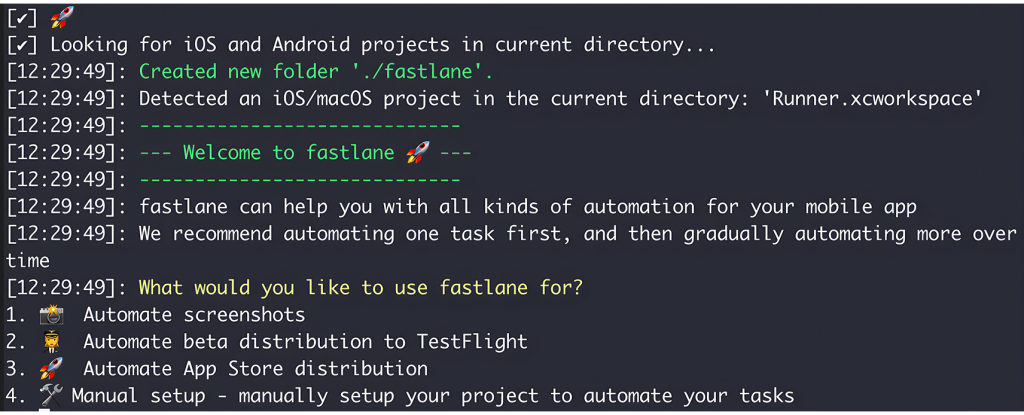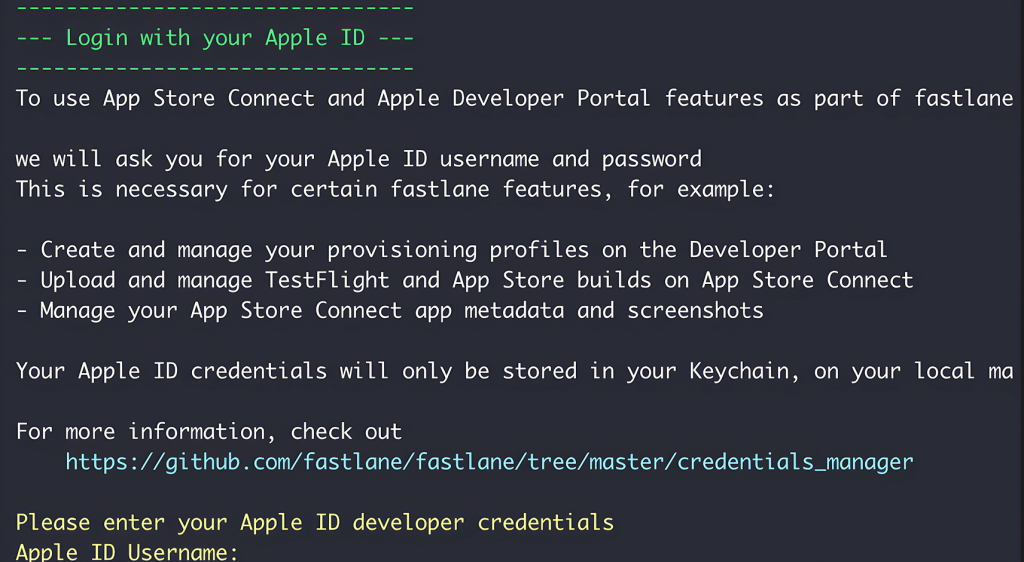
This section walks you through how to automate your iOS app deployment to TestFlight using GitHub Actions, in conjunction with the Fastlane setup described in the Fastlane Setup Guide.
Prerequisites
Before setting up the GitHub Action, ensure the following are in place:
- Fastlane is initialized and configured.
- Match is set up and working for code signing.
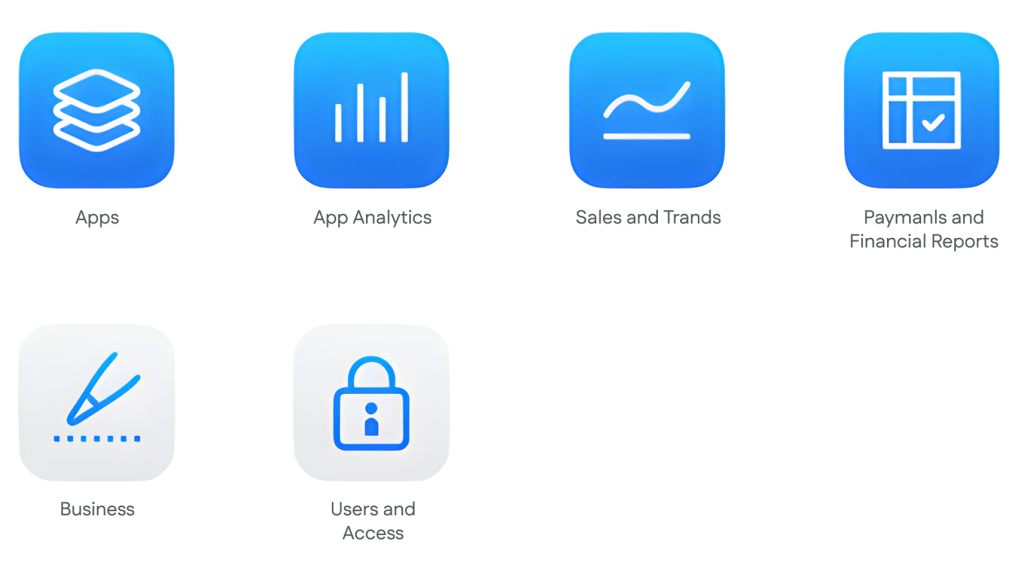
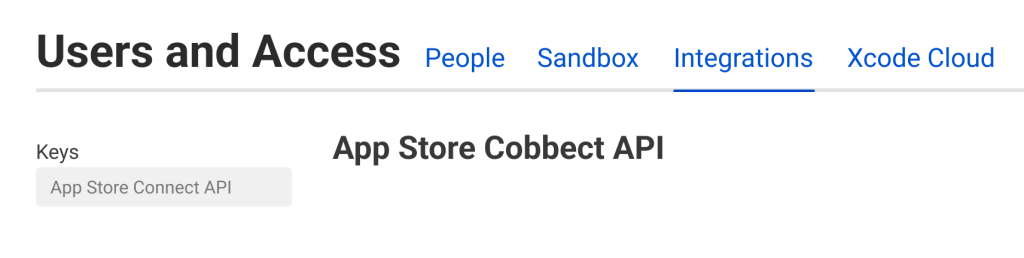
- App Store Connect API Key is generated and saved on your machine.
Step 1: Add SSH Deploy Key to Your Certificates Repository
To allow GitHub Actions to pull certificates from your private Match repository:
- Open your terminal
- Generate a new SSH key pair (Don’t set any passphrase):
ssh-keygen -t rsa -b 4096 -C "github-actions" -f ./github_actions_key
ssh-keygen -t rsa -b 4096 -C "github-actions" -f ./github_actions_key
ssh-keygen -t rsa -b 4096 -C "github-actions" -f ./github_actions_key
ssh-keygen -t rsa -b 4096 -C "github-actions" -f ./github_actions_key
ssh-keygen -t rsa -b 4096 -C "github-actions" -f ./github_actions_key
ssh-keygen -t rsa -b 4096 -C "github-actions" -f ./github_actions_key
ssh-keygen -t rsa -b 4096 -C "github-actions" -f ./github_actions_key
ssh-keygen -t rsa -b 4096 -C "github-actions" -f ./github_actions_key
ssh-keygen -t rsa -b 4096 -C "github-actions" -f ./github_actions_key
ssh-keygen -t rsa -b 4096 -C "github-actions" -f ./github_actions_key
ssh-keygen -t rsa -b 4096 -C "github-actions" -f ./github_actions_key
ssh-keygen -t rsa -b 4096 -C "github-actions" -f ./github_actions_key
ssh-keygen -t rsa -b 4096 -C "github-actions" -f ./github_actions_key
ssh-keygen -t rsa -b 4096 -C "github-actions" -f ./github_actions_key
ssh-keygen -t rsa -b 4096 -C "github-actions" -f ./github_actions_key
ssh-keygen -t rsa -b 4096 -C "github-actions" -f ./github_actions_key
ssh-keygen -t rsa -b 4096 -C "github-actions" -f ./github_actions_key
ssh-keygen -t rsa -b 4096 -C "github-actions" -f ./github_actions_key
ssh-keygen -t rsa -b 4096 -C "github-actions" -f ./github_actions_key
This creates:
- github_actions_key (private key)
- github_actions_key.pub (public key)

3. Go to your certificates GitHub repo (the one used by match)
Navigate to: Settings > Deploy keys > Add deploy key
- Title: GitHub Actions Key
- Key: Paste the content of github_actions_key.pub
- Check Allow write access
- Click Add key

Step 2: Add GitHub Secrets to Your Main Project Repo
Go to your main app repository on GitHub (the one running the action):
1. Navigate to your repository → Settings → Secrets and variables → Actions → Secrets

2. Add the following secrets:


Important: Do not commit your .p8 file or SSH keys to version control. Store them securely
Step 3: Encode AuthKey.p8 and Save in GitHub Secrets
To securely use your App Store Connect API key in GitHub Actions, you need to encode the AuthKey.p8 file in Base64 and store it as a secret.
Steps:
1. Encode AuthKey.p8 to base64
Run this command in your terminal where the .p8 file is located:
base64 -i AuthKey.p8 -o AuthKey_base64.txt
base64 -i AuthKey.p8 -o AuthKey_base64.txt
base64 -i AuthKey.p8 -o AuthKey_base64.txt
base64 -i AuthKey.p8 -o AuthKey_base64.txt
base64 -i AuthKey.p8 -o AuthKey_base64.txt
base64 -i AuthKey.p8 -o AuthKey_base64.txt
base64 -i AuthKey.p8 -o AuthKey_base64.txt
base64 -i AuthKey.p8 -o AuthKey_base64.txt
base64 -i AuthKey.p8 -o AuthKey_base64.txt
base64 -i AuthKey.p8 -o AuthKey_base64.txt
base64 -i AuthKey.p8 -o AuthKey_base64.txt
base64 -i AuthKey.p8 -o AuthKey_base64.txt
base64 -i AuthKey.p8 -o AuthKey_base64.txt
base64 -i AuthKey.p8 -o AuthKey_base64.txt
base64 -i AuthKey.p8 -o AuthKey_base64.txt
base64 -i AuthKey.p8 -o AuthKey_base64.txt
base64 -i AuthKey.p8 -o AuthKey_base64.txt
base64 -i AuthKey.p8 -o AuthKey_base64.txt
base64 -i AuthKey.p8 -o AuthKey_base64.txt
Navigate to your repository → Settings → Secrets and variables → Actions → Secrets
Add a new secret:
Name: ASC_KEY_BASE64
Value: Paste the entire base64 string of your AuthKey.p8

Step 4: Add GitHub Actions Workflow
Create a new file in your project at the following location:
.github/workflows/ios-testflight.yml

Paste the following:
name: iOS TestFlight Deployment
on:
  workflow_dispatch:
jobs:
  deploy-to-testflight:
    name: Build and deploy to TestFlight
    runs-on: macos-15
    steps:
      - name: Checkout repository
        uses: actions/checkout@v4
        with:
          fetch-depth: 1


      - name: Install SSH Key
        uses: webfactory/ssh-agent@v0.9.1
        with:
          ssh-private-key: ${{ secrets.SSH_PRIVATE_KEY }}


      - name: Set up Ruby
        uses: ruby/setup-ruby@v1
        with:
          ruby-version: "3.0"
          bundler-cache: true
          bundler: "2.4.22"


      - name: Set up Flutter
        uses: subosito/flutter-action@v2
        with:
          flutter-version: "3.29.2"
          channel: "stable"


      - name: Install Flutter dependencies
        run: flutter pub get


      - name: Install Ruby dependencies
        working-directory: ./ios
        run: bundle install


      - name: Decode App Store Connect API Key
        run: |
          echo "${{ secrets.ASC_KEY_BASE64 }}" | base64 --decode > ./ios/AuthKey.p8


      - name: Build and upload to TestFlight
        working-directory: ./ios
        env:
          ASC_KEY_ID: ${{ secrets.ASC_KEY_ID }}
          ASC_ISSUER_ID: ${{ secrets.ASC_ISSUER_ID }}
          ASC_KEY_PATH: ./AuthKey.p8
          MATCH_PASSWORD: ${{ secrets.MATCH_PASSWORD }}
        run: bundle exec fastlane upload_to_testflight_function
name: iOS TestFlight Deployment
on:
  workflow_dispatch:
jobs:
  deploy-to-testflight:
    name: Build and deploy to TestFlight
    runs-on: macos-15
    steps:
      - name: Checkout repository
        uses: actions/checkout@v4
        with:
          fetch-depth: 1


      - name: Install SSH Key
        uses: webfactory/ssh-agent@v0.9.1
        with:
          ssh-private-key: ${{ secrets.SSH_PRIVATE_KEY }}


      - name: Set up Ruby
        uses: ruby/setup-ruby@v1
        with:
          ruby-version: "3.0"
          bundler-cache: true
          bundler: "2.4.22"


      - name: Set up Flutter
        uses: subosito/flutter-action@v2
        with:
          flutter-version: "3.29.2"
          channel: "stable"


      - name: Install Flutter dependencies
        run: flutter pub get


      - name: Install Ruby dependencies
        working-directory: ./ios
        run: bundle install


      - name: Decode App Store Connect API Key
        run: |
          echo "${{ secrets.ASC_KEY_BASE64 }}" | base64 --decode > ./ios/AuthKey.p8


      - name: Build and upload to TestFlight
        working-directory: ./ios
        env:
          ASC_KEY_ID: ${{ secrets.ASC_KEY_ID }}
          ASC_ISSUER_ID: ${{ secrets.ASC_ISSUER_ID }}
          ASC_KEY_PATH: ./AuthKey.p8
          MATCH_PASSWORD: ${{ secrets.MATCH_PASSWORD }}
        run: bundle exec fastlane upload_to_testflight_function
name: iOS TestFlight Deployment
on:
  workflow_dispatch:
jobs:
  deploy-to-testflight:
    name: Build and deploy to TestFlight
    runs-on: macos-15
    steps:
      - name: Checkout repository
        uses: actions/checkout@v4
        with:
          fetch-depth: 1


      - name: Install SSH Key
        uses: webfactory/ssh-agent@v0.9.1
        with:
          ssh-private-key: ${{ secrets.SSH_PRIVATE_KEY }}


      - name: Set up Ruby
        uses: ruby/setup-ruby@v1
        with:
          ruby-version: "3.0"
          bundler-cache: true
          bundler: "2.4.22"


      - name: Set up Flutter
        uses: subosito/flutter-action@v2
        with:
          flutter-version: "3.29.2"
          channel: "stable"


      - name: Install Flutter dependencies
        run: flutter pub get


      - name: Install Ruby dependencies
        working-directory: ./ios
        run: bundle install


      - name: Decode App Store Connect API Key
        run: |
          echo "${{ secrets.ASC_KEY_BASE64 }}" | base64 --decode > ./ios/AuthKey.p8


      - name: Build and upload to TestFlight
        working-directory: ./ios
        env:
          ASC_KEY_ID: ${{ secrets.ASC_KEY_ID }}
          ASC_ISSUER_ID: ${{ secrets.ASC_ISSUER_ID }}
          ASC_KEY_PATH: ./AuthKey.p8
          MATCH_PASSWORD: ${{ secrets.MATCH_PASSWORD }}
        run: bundle exec fastlane upload_to_testflight_function
name: iOS TestFlight Deployment
on:
  workflow_dispatch:
jobs:
  deploy-to-testflight:
    name: Build and deploy to TestFlight
    runs-on: macos-15
    steps:
      - name: Checkout repository
        uses: actions/checkout@v4
        with:
          fetch-depth: 1


      - name: Install SSH Key
        uses: webfactory/ssh-agent@v0.9.1
        with:
          ssh-private-key: ${{ secrets.SSH_PRIVATE_KEY }}


      - name: Set up Ruby
        uses: ruby/setup-ruby@v1
        with:
          ruby-version: "3.0"
          bundler-cache: true
          bundler: "2.4.22"


      - name: Set up Flutter
        uses: subosito/flutter-action@v2
        with:
          flutter-version: "3.29.2"
          channel: "stable"


      - name: Install Flutter dependencies
        run: flutter pub get


      - name: Install Ruby dependencies
        working-directory: ./ios
        run: bundle install


      - name: Decode App Store Connect API Key
        run: |
          echo "${{ secrets.ASC_KEY_BASE64 }}" | base64 --decode > ./ios/AuthKey.p8


      - name: Build and upload to TestFlight
        working-directory: ./ios
        env:
          ASC_KEY_ID: ${{ secrets.ASC_KEY_ID }}
          ASC_ISSUER_ID: ${{ secrets.ASC_ISSUER_ID }}
          ASC_KEY_PATH: ./AuthKey.p8
          MATCH_PASSWORD: ${{ secrets.MATCH_PASSWORD }}
        run: bundle exec fastlane upload_to_testflight_function
name: iOS TestFlight Deployment
on:
  workflow_dispatch:
jobs:
  deploy-to-testflight:
    name: Build and deploy to TestFlight
    runs-on: macos-15
    steps:
      - name: Checkout repository
        uses: actions/checkout@v4
        with:
          fetch-depth: 1


      - name: Install SSH Key
        uses: webfactory/ssh-agent@v0.9.1
        with:
          ssh-private-key: ${{ secrets.SSH_PRIVATE_KEY }}


      - name: Set up Ruby
        uses: ruby/setup-ruby@v1
        with:
          ruby-version: "3.0"
          bundler-cache: true
          bundler: "2.4.22"


      - name: Set up Flutter
        uses: subosito/flutter-action@v2
        with:
          flutter-version: "3.29.2"
          channel: "stable"


      - name: Install Flutter dependencies
        run: flutter pub get


      - name: Install Ruby dependencies
        working-directory: ./ios
        run: bundle install


      - name: Decode App Store Connect API Key
        run: |
          echo "${{ secrets.ASC_KEY_BASE64 }}" | base64 --decode > ./ios/AuthKey.p8


      - name: Build and upload to TestFlight
        working-directory: ./ios
        env:
          ASC_KEY_ID: ${{ secrets.ASC_KEY_ID }}
          ASC_ISSUER_ID: ${{ secrets.ASC_ISSUER_ID }}
          ASC_KEY_PATH: ./AuthKey.p8
          MATCH_PASSWORD: ${{ secrets.MATCH_PASSWORD }}
        run: bundle exec fastlane upload_to_testflight_function
name: iOS TestFlight Deployment
on:
  workflow_dispatch:
jobs:
  deploy-to-testflight:
    name: Build and deploy to TestFlight
    runs-on: macos-15
    steps:
      - name: Checkout repository
        uses: actions/checkout@v4
        with:
          fetch-depth: 1


      - name: Install SSH Key
        uses: webfactory/ssh-agent@v0.9.1
        with:
          ssh-private-key: ${{ secrets.SSH_PRIVATE_KEY }}


      - name: Set up Ruby
        uses: ruby/setup-ruby@v1
        with:
          ruby-version: "3.0"
          bundler-cache: true
          bundler: "2.4.22"


      - name: Set up Flutter
        uses: subosito/flutter-action@v2
        with:
          flutter-version: "3.29.2"
          channel: "stable"


      - name: Install Flutter dependencies
        run: flutter pub get


      - name: Install Ruby dependencies
        working-directory: ./ios
        run: bundle install


      - name: Decode App Store Connect API Key
        run: |
          echo "${{ secrets.ASC_KEY_BASE64 }}" | base64 --decode > ./ios/AuthKey.p8


      - name: Build and upload to TestFlight
        working-directory: ./ios
        env:
          ASC_KEY_ID: ${{ secrets.ASC_KEY_ID }}
          ASC_ISSUER_ID: ${{ secrets.ASC_ISSUER_ID }}
          ASC_KEY_PATH: ./AuthKey.p8
          MATCH_PASSWORD: ${{ secrets.MATCH_PASSWORD }}
        run: bundle exec fastlane upload_to_testflight_function
name: iOS TestFlight Deployment
on:
  workflow_dispatch:
jobs:
  deploy-to-testflight:
    name: Build and deploy to TestFlight
    runs-on: macos-15
    steps:
      - name: Checkout repository
        uses: actions/checkout@v4
        with:
          fetch-depth: 1


      - name: Install SSH Key
        uses: webfactory/ssh-agent@v0.9.1
        with:
          ssh-private-key: ${{ secrets.SSH_PRIVATE_KEY }}


      - name: Set up Ruby
        uses: ruby/setup-ruby@v1
        with:
          ruby-version: "3.0"
          bundler-cache: true
          bundler: "2.4.22"


      - name: Set up Flutter
        uses: subosito/flutter-action@v2
        with:
          flutter-version: "3.29.2"
          channel: "stable"


      - name: Install Flutter dependencies
        run: flutter pub get


      - name: Install Ruby dependencies
        working-directory: ./ios
        run: bundle install


      - name: Decode App Store Connect API Key
        run: |
          echo "${{ secrets.ASC_KEY_BASE64 }}" | base64 --decode > ./ios/AuthKey.p8


      - name: Build and upload to TestFlight
        working-directory: ./ios
        env:
          ASC_KEY_ID: ${{ secrets.ASC_KEY_ID }}
          ASC_ISSUER_ID: ${{ secrets.ASC_ISSUER_ID }}
          ASC_KEY_PATH: ./AuthKey.p8
          MATCH_PASSWORD: ${{ secrets.MATCH_PASSWORD }}
        run: bundle exec fastlane upload_to_testflight_function
name: iOS TestFlight Deployment
on:
  workflow_dispatch:
jobs:
  deploy-to-testflight:
    name: Build and deploy to TestFlight
    runs-on: macos-15
    steps:
      - name: Checkout repository
        uses: actions/checkout@v4
        with:
          fetch-depth: 1


      - name: Install SSH Key
        uses: webfactory/ssh-agent@v0.9.1
        with:
          ssh-private-key: ${{ secrets.SSH_PRIVATE_KEY }}


      - name: Set up Ruby
        uses: ruby/setup-ruby@v1
        with:
          ruby-version: "3.0"
          bundler-cache: true
          bundler: "2.4.22"


      - name: Set up Flutter
        uses: subosito/flutter-action@v2
        with:
          flutter-version: "3.29.2"
          channel: "stable"


      - name: Install Flutter dependencies
        run: flutter pub get


      - name: Install Ruby dependencies
        working-directory: ./ios
        run: bundle install


      - name: Decode App Store Connect API Key
        run: |
          echo "${{ secrets.ASC_KEY_BASE64 }}" | base64 --decode > ./ios/AuthKey.p8


      - name: Build and upload to TestFlight
        working-directory: ./ios
        env:
          ASC_KEY_ID: ${{ secrets.ASC_KEY_ID }}
          ASC_ISSUER_ID: ${{ secrets.ASC_ISSUER_ID }}
          ASC_KEY_PATH: ./AuthKey.p8
          MATCH_PASSWORD: ${{ secrets.MATCH_PASSWORD }}
        run: bundle exec fastlane upload_to_testflight_function
name: iOS TestFlight Deployment
on:
  workflow_dispatch:
jobs:
  deploy-to-testflight:
    name: Build and deploy to TestFlight
    runs-on: macos-15
    steps:
      - name: Checkout repository
        uses: actions/checkout@v4
        with:
          fetch-depth: 1


      - name: Install SSH Key
        uses: webfactory/ssh-agent@v0.9.1
        with:
          ssh-private-key: ${{ secrets.SSH_PRIVATE_KEY }}


      - name: Set up Ruby
        uses: ruby/setup-ruby@v1
        with:
          ruby-version: "3.0"
          bundler-cache: true
          bundler: "2.4.22"


      - name: Set up Flutter
        uses: subosito/flutter-action@v2
        with:
          flutter-version: "3.29.2"
          channel: "stable"


      - name: Install Flutter dependencies
        run: flutter pub get


      - name: Install Ruby dependencies
        working-directory: ./ios
        run: bundle install


      - name: Decode App Store Connect API Key
        run: |
          echo "${{ secrets.ASC_KEY_BASE64 }}" | base64 --decode > ./ios/AuthKey.p8


      - name: Build and upload to TestFlight
        working-directory: ./ios
        env:
          ASC_KEY_ID: ${{ secrets.ASC_KEY_ID }}
          ASC_ISSUER_ID: ${{ secrets.ASC_ISSUER_ID }}
          ASC_KEY_PATH: ./AuthKey.p8
          MATCH_PASSWORD: ${{ secrets.MATCH_PASSWORD }}
        run: bundle exec fastlane upload_to_testflight_function
name: iOS TestFlight Deployment
on:
  workflow_dispatch:
jobs:
  deploy-to-testflight:
    name: Build and deploy to TestFlight
    runs-on: macos-15
    steps:
      - name: Checkout repository
        uses: actions/checkout@v4
        with:
          fetch-depth: 1


      - name: Install SSH Key
        uses: webfactory/ssh-agent@v0.9.1
        with:
          ssh-private-key: ${{ secrets.SSH_PRIVATE_KEY }}


      - name: Set up Ruby
        uses: ruby/setup-ruby@v1
        with:
          ruby-version: "3.0"
          bundler-cache: true
          bundler: "2.4.22"


      - name: Set up Flutter
        uses: subosito/flutter-action@v2
        with:
          flutter-version: "3.29.2"
          channel: "stable"


      - name: Install Flutter dependencies
        run: flutter pub get


      - name: Install Ruby dependencies
        working-directory: ./ios
        run: bundle install


      - name: Decode App Store Connect API Key
        run: |
          echo "${{ secrets.ASC_KEY_BASE64 }}" | base64 --decode > ./ios/AuthKey.p8


      - name: Build and upload to TestFlight
        working-directory: ./ios
        env:
          ASC_KEY_ID: ${{ secrets.ASC_KEY_ID }}
          ASC_ISSUER_ID: ${{ secrets.ASC_ISSUER_ID }}
          ASC_KEY_PATH: ./AuthKey.p8
          MATCH_PASSWORD: ${{ secrets.MATCH_PASSWORD }}
        run: bundle exec fastlane upload_to_testflight_function
name: iOS TestFlight Deployment
on:
  workflow_dispatch:
jobs:
  deploy-to-testflight:
    name: Build and deploy to TestFlight
    runs-on: macos-15
    steps:
      - name: Checkout repository
        uses: actions/checkout@v4
        with:
          fetch-depth: 1


      - name: Install SSH Key
        uses: webfactory/ssh-agent@v0.9.1
        with:
          ssh-private-key: ${{ secrets.SSH_PRIVATE_KEY }}


      - name: Set up Ruby
        uses: ruby/setup-ruby@v1
        with:
          ruby-version: "3.0"
          bundler-cache: true
          bundler: "2.4.22"


      - name: Set up Flutter
        uses: subosito/flutter-action@v2
        with:
          flutter-version: "3.29.2"
          channel: "stable"


      - name: Install Flutter dependencies
        run: flutter pub get


      - name: Install Ruby dependencies
        working-directory: ./ios
        run: bundle install


      - name: Decode App Store Connect API Key
        run: |
          echo "${{ secrets.ASC_KEY_BASE64 }}" | base64 --decode > ./ios/AuthKey.p8


      - name: Build and upload to TestFlight
        working-directory: ./ios
        env:
          ASC_KEY_ID: ${{ secrets.ASC_KEY_ID }}
          ASC_ISSUER_ID: ${{ secrets.ASC_ISSUER_ID }}
          ASC_KEY_PATH: ./AuthKey.p8
          MATCH_PASSWORD: ${{ secrets.MATCH_PASSWORD }}
        run: bundle exec fastlane upload_to_testflight_function
name: iOS TestFlight Deployment
on:
  workflow_dispatch:
jobs:
  deploy-to-testflight:
    name: Build and deploy to TestFlight
    runs-on: macos-15
    steps:
      - name: Checkout repository
        uses: actions/checkout@v4
        with:
          fetch-depth: 1


      - name: Install SSH Key
        uses: webfactory/ssh-agent@v0.9.1
        with:
          ssh-private-key: ${{ secrets.SSH_PRIVATE_KEY }}


      - name: Set up Ruby
        uses: ruby/setup-ruby@v1
        with:
          ruby-version: "3.0"
          bundler-cache: true
          bundler: "2.4.22"


      - name: Set up Flutter
        uses: subosito/flutter-action@v2
        with:
          flutter-version: "3.29.2"
          channel: "stable"


      - name: Install Flutter dependencies
        run: flutter pub get


      - name: Install Ruby dependencies
        working-directory: ./ios
        run: bundle install


      - name: Decode App Store Connect API Key
        run: |
          echo "${{ secrets.ASC_KEY_BASE64 }}" | base64 --decode > ./ios/AuthKey.p8


      - name: Build and upload to TestFlight
        working-directory: ./ios
        env:
          ASC_KEY_ID: ${{ secrets.ASC_KEY_ID }}
          ASC_ISSUER_ID: ${{ secrets.ASC_ISSUER_ID }}
          ASC_KEY_PATH: ./AuthKey.p8
          MATCH_PASSWORD: ${{ secrets.MATCH_PASSWORD }}
        run: bundle exec fastlane upload_to_testflight_function
name: iOS TestFlight Deployment
on:
  workflow_dispatch:
jobs:
  deploy-to-testflight:
    name: Build and deploy to TestFlight
    runs-on: macos-15
    steps:
      - name: Checkout repository
        uses: actions/checkout@v4
        with:
          fetch-depth: 1


      - name: Install SSH Key
        uses: webfactory/ssh-agent@v0.9.1
        with:
          ssh-private-key: ${{ secrets.SSH_PRIVATE_KEY }}


      - name: Set up Ruby
        uses: ruby/setup-ruby@v1
        with:
          ruby-version: "3.0"
          bundler-cache: true
          bundler: "2.4.22"


      - name: Set up Flutter
        uses: subosito/flutter-action@v2
        with:
          flutter-version: "3.29.2"
          channel: "stable"


      - name: Install Flutter dependencies
        run: flutter pub get


      - name: Install Ruby dependencies
        working-directory: ./ios
        run: bundle install


      - name: Decode App Store Connect API Key
        run: |
          echo "${{ secrets.ASC_KEY_BASE64 }}" | base64 --decode > ./ios/AuthKey.p8


      - name: Build and upload to TestFlight
        working-directory: ./ios
        env:
          ASC_KEY_ID: ${{ secrets.ASC_KEY_ID }}
          ASC_ISSUER_ID: ${{ secrets.ASC_ISSUER_ID }}
          ASC_KEY_PATH: ./AuthKey.p8
          MATCH_PASSWORD: ${{ secrets.MATCH_PASSWORD }}
        run: bundle exec fastlane upload_to_testflight_function
name: iOS TestFlight Deployment
on:
  workflow_dispatch:
jobs:
  deploy-to-testflight:
    name: Build and deploy to TestFlight
    runs-on: macos-15
    steps:
      - name: Checkout repository
        uses: actions/checkout@v4
        with:
          fetch-depth: 1


      - name: Install SSH Key
        uses: webfactory/ssh-agent@v0.9.1
        with:
          ssh-private-key: ${{ secrets.SSH_PRIVATE_KEY }}


      - name: Set up Ruby
        uses: ruby/setup-ruby@v1
        with:
          ruby-version: "3.0"
          bundler-cache: true
          bundler: "2.4.22"


      - name: Set up Flutter
        uses: subosito/flutter-action@v2
        with:
          flutter-version: "3.29.2"
          channel: "stable"


      - name: Install Flutter dependencies
        run: flutter pub get


      - name: Install Ruby dependencies
        working-directory: ./ios
        run: bundle install


      - name: Decode App Store Connect API Key
        run: |
          echo "${{ secrets.ASC_KEY_BASE64 }}" | base64 --decode > ./ios/AuthKey.p8


      - name: Build and upload to TestFlight
        working-directory: ./ios
        env:
          ASC_KEY_ID: ${{ secrets.ASC_KEY_ID }}
          ASC_ISSUER_ID: ${{ secrets.ASC_ISSUER_ID }}
          ASC_KEY_PATH: ./AuthKey.p8
          MATCH_PASSWORD: ${{ secrets.MATCH_PASSWORD }}
        run: bundle exec fastlane upload_to_testflight_function
name: iOS TestFlight Deployment
on:
  workflow_dispatch:
jobs:
  deploy-to-testflight:
    name: Build and deploy to TestFlight
    runs-on: macos-15
    steps:
      - name: Checkout repository
        uses: actions/checkout@v4
        with:
          fetch-depth: 1


      - name: Install SSH Key
        uses: webfactory/ssh-agent@v0.9.1
        with:
          ssh-private-key: ${{ secrets.SSH_PRIVATE_KEY }}


      - name: Set up Ruby
        uses: ruby/setup-ruby@v1
        with:
          ruby-version: "3.0"
          bundler-cache: true
          bundler: "2.4.22"


      - name: Set up Flutter
        uses: subosito/flutter-action@v2
        with:
          flutter-version: "3.29.2"
          channel: "stable"


      - name: Install Flutter dependencies
        run: flutter pub get


      - name: Install Ruby dependencies
        working-directory: ./ios
        run: bundle install


      - name: Decode App Store Connect API Key
        run: |
          echo "${{ secrets.ASC_KEY_BASE64 }}" | base64 --decode > ./ios/AuthKey.p8


      - name: Build and upload to TestFlight
        working-directory: ./ios
        env:
          ASC_KEY_ID: ${{ secrets.ASC_KEY_ID }}
          ASC_ISSUER_ID: ${{ secrets.ASC_ISSUER_ID }}
          ASC_KEY_PATH: ./AuthKey.p8
          MATCH_PASSWORD: ${{ secrets.MATCH_PASSWORD }}
        run: bundle exec fastlane upload_to_testflight_function
name: iOS TestFlight Deployment
on:
  workflow_dispatch:
jobs:
  deploy-to-testflight:
    name: Build and deploy to TestFlight
    runs-on: macos-15
    steps:
      - name: Checkout repository
        uses: actions/checkout@v4
        with:
          fetch-depth: 1


      - name: Install SSH Key
        uses: webfactory/ssh-agent@v0.9.1
        with:
          ssh-private-key: ${{ secrets.SSH_PRIVATE_KEY }}


      - name: Set up Ruby
        uses: ruby/setup-ruby@v1
        with:
          ruby-version: "3.0"
          bundler-cache: true
          bundler: "2.4.22"


      - name: Set up Flutter
        uses: subosito/flutter-action@v2
        with:
          flutter-version: "3.29.2"
          channel: "stable"


      - name: Install Flutter dependencies
        run: flutter pub get


      - name: Install Ruby dependencies
        working-directory: ./ios
        run: bundle install


      - name: Decode App Store Connect API Key
        run: |
          echo "${{ secrets.ASC_KEY_BASE64 }}" | base64 --decode > ./ios/AuthKey.p8


      - name: Build and upload to TestFlight
        working-directory: ./ios
        env:
          ASC_KEY_ID: ${{ secrets.ASC_KEY_ID }}
          ASC_ISSUER_ID: ${{ secrets.ASC_ISSUER_ID }}
          ASC_KEY_PATH: ./AuthKey.p8
          MATCH_PASSWORD: ${{ secrets.MATCH_PASSWORD }}
        run: bundle exec fastlane upload_to_testflight_function
name: iOS TestFlight Deployment
on:
  workflow_dispatch:
jobs:
  deploy-to-testflight:
    name: Build and deploy to TestFlight
    runs-on: macos-15
    steps:
      - name: Checkout repository
        uses: actions/checkout@v4
        with:
          fetch-depth: 1


      - name: Install SSH Key
        uses: webfactory/ssh-agent@v0.9.1
        with:
          ssh-private-key: ${{ secrets.SSH_PRIVATE_KEY }}


      - name: Set up Ruby
        uses: ruby/setup-ruby@v1
        with:
          ruby-version: "3.0"
          bundler-cache: true
          bundler: "2.4.22"


      - name: Set up Flutter
        uses: subosito/flutter-action@v2
        with:
          flutter-version: "3.29.2"
          channel: "stable"


      - name: Install Flutter dependencies
        run: flutter pub get


      - name: Install Ruby dependencies
        working-directory: ./ios
        run: bundle install


      - name: Decode App Store Connect API Key
        run: |
          echo "${{ secrets.ASC_KEY_BASE64 }}" | base64 --decode > ./ios/AuthKey.p8


      - name: Build and upload to TestFlight
        working-directory: ./ios
        env:
          ASC_KEY_ID: ${{ secrets.ASC_KEY_ID }}
          ASC_ISSUER_ID: ${{ secrets.ASC_ISSUER_ID }}
          ASC_KEY_PATH: ./AuthKey.p8
          MATCH_PASSWORD: ${{ secrets.MATCH_PASSWORD }}
        run: bundle exec fastlane upload_to_testflight_function
name: iOS TestFlight Deployment
on:
  workflow_dispatch:
jobs:
  deploy-to-testflight:
    name: Build and deploy to TestFlight
    runs-on: macos-15
    steps:
      - name: Checkout repository
        uses: actions/checkout@v4
        with:
          fetch-depth: 1


      - name: Install SSH Key
        uses: webfactory/ssh-agent@v0.9.1
        with:
          ssh-private-key: ${{ secrets.SSH_PRIVATE_KEY }}


      - name: Set up Ruby
        uses: ruby/setup-ruby@v1
        with:
          ruby-version: "3.0"
          bundler-cache: true
          bundler: "2.4.22"


      - name: Set up Flutter
        uses: subosito/flutter-action@v2
        with:
          flutter-version: "3.29.2"
          channel: "stable"


      - name: Install Flutter dependencies
        run: flutter pub get


      - name: Install Ruby dependencies
        working-directory: ./ios
        run: bundle install


      - name: Decode App Store Connect API Key
        run: |
          echo "${{ secrets.ASC_KEY_BASE64 }}" | base64 --decode > ./ios/AuthKey.p8


      - name: Build and upload to TestFlight
        working-directory: ./ios
        env:
          ASC_KEY_ID: ${{ secrets.ASC_KEY_ID }}
          ASC_ISSUER_ID: ${{ secrets.ASC_ISSUER_ID }}
          ASC_KEY_PATH: ./AuthKey.p8
          MATCH_PASSWORD: ${{ secrets.MATCH_PASSWORD }}
        run: bundle exec fastlane upload_to_testflight_function
name: iOS TestFlight Deployment
on:
  workflow_dispatch:
jobs:
  deploy-to-testflight:
    name: Build and deploy to TestFlight
    runs-on: macos-15
    steps:
      - name: Checkout repository
        uses: actions/checkout@v4
        with:
          fetch-depth: 1


      - name: Install SSH Key
        uses: webfactory/ssh-agent@v0.9.1
        with:
          ssh-private-key: ${{ secrets.SSH_PRIVATE_KEY }}


      - name: Set up Ruby
        uses: ruby/setup-ruby@v1
        with:
          ruby-version: "3.0"
          bundler-cache: true
          bundler: "2.4.22"


      - name: Set up Flutter
        uses: subosito/flutter-action@v2
        with:
          flutter-version: "3.29.2"
          channel: "stable"


      - name: Install Flutter dependencies
        run: flutter pub get


      - name: Install Ruby dependencies
        working-directory: ./ios
        run: bundle install


      - name: Decode App Store Connect API Key
        run: |
          echo "${{ secrets.ASC_KEY_BASE64 }}" | base64 --decode > ./ios/AuthKey.p8


      - name: Build and upload to TestFlight
        working-directory: ./ios
        env:
          ASC_KEY_ID: ${{ secrets.ASC_KEY_ID }}
          ASC_ISSUER_ID: ${{ secrets.ASC_ISSUER_ID }}
          ASC_KEY_PATH: ./AuthKey.p8
          MATCH_PASSWORD: ${{ secrets.MATCH_PASSWORD }}
        run: bundle exec fastlane upload_to_testflight_function
What Happens When the Workflow Runs
When the iOS TestFlight Deployment workflow is triggered manually via GitHub Actions, it follows a defined series of steps to build and distribute your iOS app using TestFlight:
1. Сheckout the Repository
The workflow checks out the code from your GitHub repository so the runner has access to all project files.
2. Install the SSH Key
Installs the SSH key stored in GitHub Secrets to allow secure access to your private repository for provisioning profiles and certificates.
3. Set Up Ruby, Bundler, and Flutter
- Installs the specified Ruby version and Bundler (with caching enabled).
- Sets up the specified Flutter version
4. Install Project Dependencies
- Runs flutter pub get to fetch all Flutter package dependencies.
- Runs bundle install in the ios directory to install all required Ruby gems (including Fastlane and its plugins).
5. Decode App Store Connect API Key
Takes a base64-encoded App Store Connect API key from GitHub Secrets, decodes it, and writes it as AuthKey.p8 to be used for authentication with Apple Developer APIs.
6. Build and Upload to TestFlight
Runs the Fastlane lane upload_to_testflight_function, which performs the following tasks:
- Downloads certificates and provisioning profiles using Match.
- Builds the iOS application.
- Authenticates with App Store Connect using the decoded API key.
- Uploads the app build to TestFlight for internal or external beta testing.
How to Run the GitHub Action Manually
Ensure that your workflow YAML file (ios-testflight.yml) is committed and pushed to the default branch of your repository (typically main or master).
Once it is available in the default branch, you can manually trigger the GitHub Action from the GitHub interface:
1. Access GitHub Actions
- Go to your GitHub repository.
- Click on the Actions tab at the top of your repository page.

2. Select the Workflow
- On the left sidebar, you’ll see a list of workflows. Find and click on iOS TestFlight Deployment.

3. Trigger the Workflow
- Click on the Run workflow button on the right side of the page.
- Make sure to select the correct branch if it’s not set to the default.
- Then, click Run workflow to trigger the build process.

4. Monitor the Workflow Execution
- After the workflow is triggered, you can monitor its progress directly in the Actions tab. You’ll see logs of each step and can inspect any errors or issues that arise.
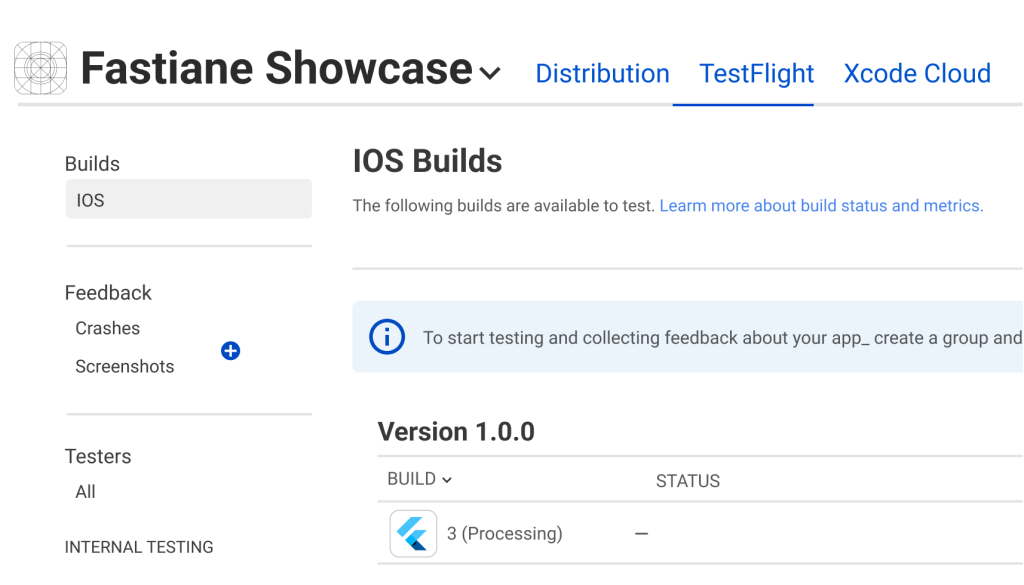
- If the build is successful, the app will be deployed to TestFlight!